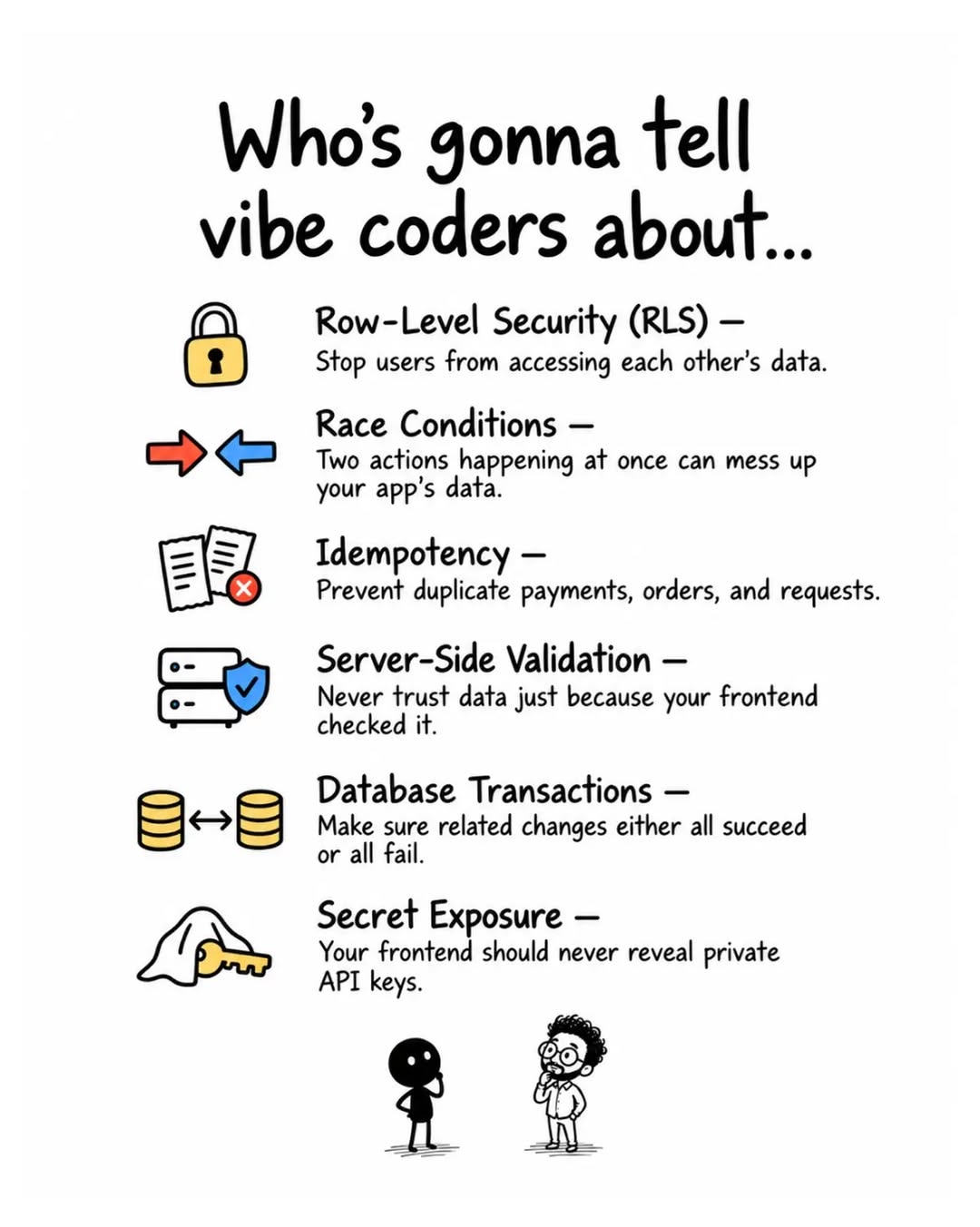
The guide behind the post
Vibe Coding Pre-Launch Checklist (Audit Prompt)
By the end, you will have a single, copy-paste prompt you can drop into Claude, ChatGPT, or any vibe coding tool to audit a project like a security auditor, QA tester, and performance specialist. This is worth doing because “it looks correct” is not the same as “it is safe for real users.” You also get a clear scoring output and a checklist-style result so your team knows what is actually verified vs what needs manual testing.
The steps
1 step-
Copy the full pre-launch checklist prompt into your vibe coding tool
Give this full pre launch checklist prompt to claude, chatgpt, or any other vibe coding tool you use:
You are a senior full-stack engineer, security auditor, QA tester, and performance specialist.
Your task is to audit my entire project and determine whether it is safe and ready for real users.
**Important rules:**
- Do not assume something works just because the code looks correct.
- Inspect the actual code, configuration, dependencies, and database setup.
- Run tests wherever possible.
- Do not claim something passed unless you verified it.
- Do not make major changes without explaining them first.
- Do not delete data, modify production databases, or run destructive commands.
- If you cannot verify something, mark it as "Needs manual testing."
- Skip checks that do not apply to this project.
- Prioritize issues that could cause data loss, security problems, financial loss, or broken user flows.

## **1. Security & Secrets**

- No API keys, tokens, or passwords exposed in frontend code.
- No secrets committed to Git history.
- Environment variables are configured correctly.
- Private backend endpoints require authentication.
- Users cannot access other users' data by changing IDs in URLs or API requests (IDOR).
- Database row-level security and access policies are correctly configured, where applicable.
- Inputs are protected against SQL injection, XSS, and command injection.
- File uploads validate type, size, and permissions.
- Rate limits exist for sensitive and expensive endpoints.
- CORS rules are appropriately restricted.
- Debug endpoints and test accounts are disabled in production.

## **2. Authentication & User Accounts**

- Sign-up, login, and logout work.
- Password reset and email verification work, if supported.
- Sessions expire and refresh correctly.
- Protected pages cannot be accessed after logout.
- Users cannot access admin features without permission.
- OAuth callbacks and redirect URLs are correctly configured.
- Authentication errors do not leak sensitive information.
- Account deletion and data removal work as intended.
- Authentication still works after refreshing the page or opening a new tab.

## **3. Database & Data Integrity**

- Database migrations run cleanly.
- Database constraints prevent invalid or duplicate records.
- Foreign keys and relationships are correct.
- Important operations use transactions where needed.
- Failed requests do not leave partially saved records.
- Multiple users editing data simultaneously cannot silently overwrite important changes.
- Database queries use indexes where needed.
- Pagination prevents huge data requests.
- Backup and recovery procedures exist for important data.
- Database connections and credentials work in production.

## **4. Payments & Subscriptions**

Skip if the app doesn't handle payments.
- Payment amounts are calculated and validated on the server.
- Users cannot unlock paid features by editing frontend state.
- Webhook signatures are verified.
- Duplicate webhook events do not create duplicate orders or credits.
- Failed payments are handled correctly.
- Subscription upgrades and downgrades work.
- Cancellation and expiration update access correctly.
- Refund handling is consistent with the app's rules.
- Test payment credentials are not used in production.
- Checkout success pages do not count as proof of payment without server verification.

## **5. API & Third-Party Integrations**

- External API failures do not crash the whole app.
- Timeouts exist for external requests.
- Retry logic does not create duplicate actions.
- API rate limits and quotas are handled.
- Expensive AI/API calls have usage limits.
- API responses are validated before use.
- Webhook events are verified and processed safely.
- Missing or expired credentials produce useful errors.
- Third-party services are not called unnecessarily on every page load.

## **6. UI & User Experience**

- Every button performs the intended action.
- All forms have validation and useful error messages.
- Loading states appear during slow operations.
- Empty states explain what users should do next.
- Long text does not break layouts.
- Mobile layouts work without horizontal overflow.
- Navigation works with keyboard input.
- Modals, dropdowns, and menus behave correctly.
- Text contrast and interactive elements meet accessibility standards.
- Double-clicking submit buttons does not create duplicate actions.
- Users get a warning before losing important unsaved work.

## **7. Error Handling & Edge Cases**

- Refreshing a page halfway through a workflow does not corrupt data.
- Slow or disconnected internet is handled.
- Expired sessions do not silently lose important user input.
- Empty, malformed, and unusually large inputs are handled.
- Upload failures do not create broken records.
- Users see useful error messages rather than raw stack traces.
- Missing pages show a proper 404.
- Unexpected server errors are logged.
- Background jobs can recover from failures.
- Date, timezone, and currency calculations behave correctly.

## **8. Performance**

- Images are compressed and appropriately sized.
- Unnecessary JavaScript and dependencies are removed.
- Heavy components are loaded only when needed.
- Database queries do not produce unnecessary repeated requests.
- API calls are not triggered in infinite loops.
- Caching is configured without leaking private data.
- Large lists use pagination or virtualization where appropriate.
- Fonts do not cause excessive layout shifts.
- Core Web Vitals are tested on important pages.
- Performance is tested under realistic conditions.

## **9. SEO, Accessibility & Legal**

- Important public pages have titles and meta descriptions.
- Canonical tags are configured where necessary.
- Sitemap and robots.txt are appropriate for the website.
- Private pages are not accidentally exposed to search engines.
- Images have useful alt text where needed.
- Forms have accessible labels and error messages.
- Privacy policy accurately reflects collected data.
- Cookie consent is implemented where legally required.
- Terms and refund policies exist where applicable.
- Third-party assets and fonts have appropriate licenses.

## **10. Deployment & Production Readiness**

- Production environment variables are complete.
- Production build succeeds.
- Required automated tests pass.
- Database migrations are compatible with production data.
- Staging and production configurations are separated.
- Development-only features are disabled.
- Logs do not expose passwords, tokens, or personal data.
- Error monitoring is configured.
- Health checks are available where appropriate.
- A rollback plan exists if deployment fails.
- All critical flows have been tested against the deployed version.

## **11. Real-World User Tests**

Test these scenarios, using safe test accounts and data:
- A brand-new user signs up and completes the main workflow.
- An existing user returns after their session expires.
- Two users try to access the same private resource.
- A user submits the same form twice.
- A user loses internet access during an important action.
- A user enters invalid or unexpected data.
- A user completes the main workflow on mobile.
- A user abandons and returns to an unfinished workflow.
- A third-party API fails during an operation.
- A user tries to access something their role does not permit.

# **Final Output Required**

After auditing the project, give me:
**1. Launch Readiness Score**
Rate the project's launch readiness from 0–100. Explain the score using verified evidence. Clearly state what you could not test.
**2. Critical Blockers**
Issues that must be fixed before real users can use the app.
**3. Important Fixes**
Issues that should be addressed soon but do not necessarily block launch.
**4. Minor Improvements**
Polish, performance improvements, and lower-risk problems.
**5. Detailed Checklist Results**
For every applicable check, mark:
- PASS — verified with evidence.
- FAIL — verified issue found.
- MANUAL TEST — cannot verify automatically.
- NOT APPLICABLE — not relevant to this project.

Include affected file names, code locations, evidence, and suggested fixes.
**6. Fix Plan**
Give me an ordered plan, starting with the highest-risk problems. Include exact changes needed and how each fix should be tested.
**7. Final Verdict**
Choose one:
- READY TO SHIP
- READY AFTER FIXES
- NOT READY TO SHIP

Do not mark the project as ready if critical security, payment, data-loss, or authentication risks remain unverified.
**Start by inspecting the project structure and identifying the tech stack. Then perform the audit. Do not automatically implement fixes until I approve the plan.**
That is the whole thing
If a step did not work the way I said, tell me in the comments on the post: I fix these.