The guide behind the post
How to Create Your Own AI Benchmarks
You will end up with 5 realistic prompts that test AI models the way you actually use them at work. Then you will run the exact same prompts across multiple models, so you can see who really wins for your tasks. This is more useful than official benchmark scores because it matches your judgment, your inputs, and your output needs.
What you need
4 things- An account with Claude
- Access to a side-by-side model comparison tool (OpenRouter)
- A shortlist of AI models you want to test
- A list of tasks you regularly give AI (so the prompts can be realistic)
The steps
6 steps-
Let Claude understand your work and build 5 test prompts
Open Claude and paste this prompt: docs.google.com/document/d/1Mv2NiQF8nWZqSAygXnFxcgjEaptUdYECbTWI0ZUMkWU/edit?usp=sharing
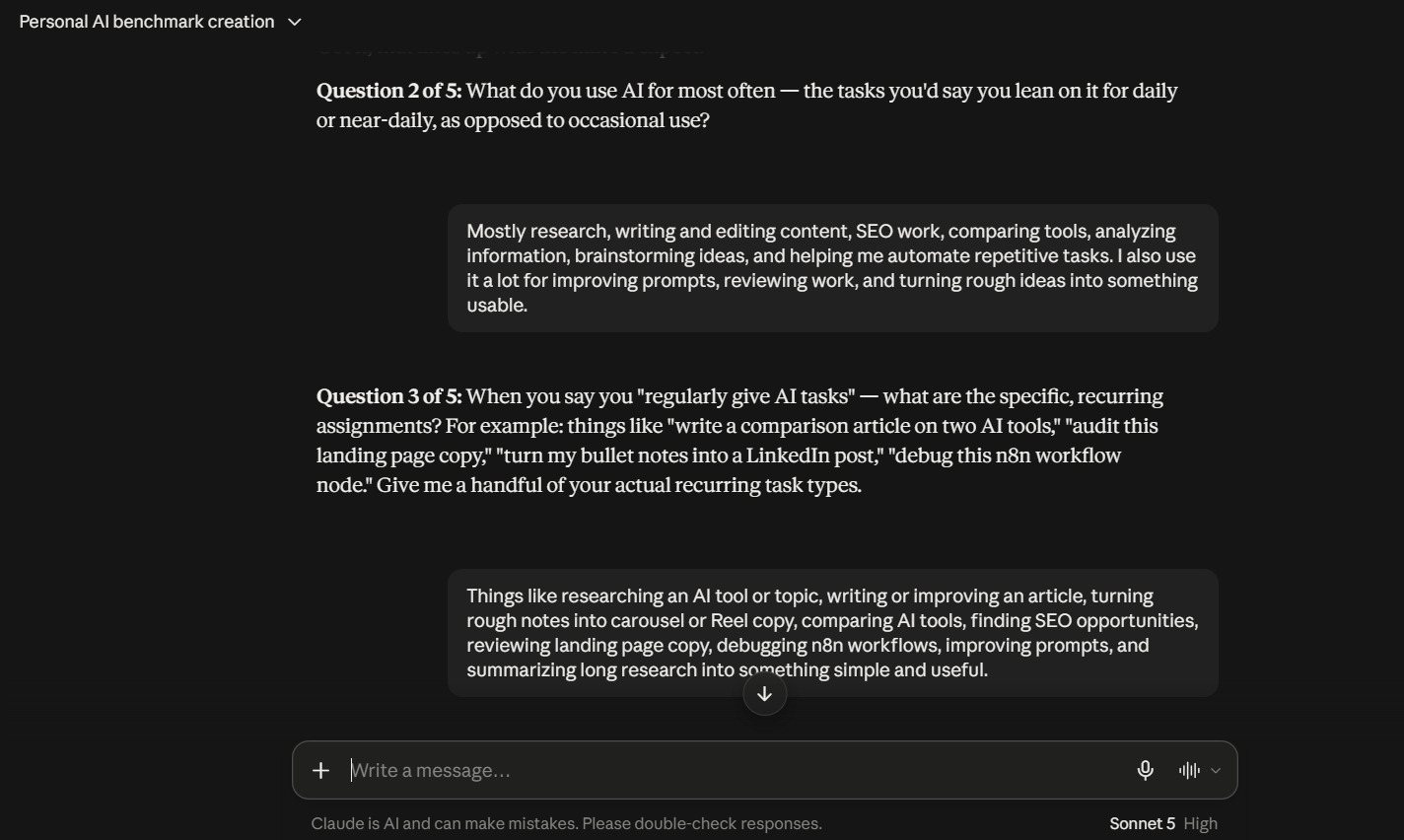
Then you will see Claude ask you a bunch of short questions one at a time. It is doing this so the benchmark matches your actual work, not generic benchmark categories.
It will first ask you a bunch of questions to get to know your work. Be detailed and specific.
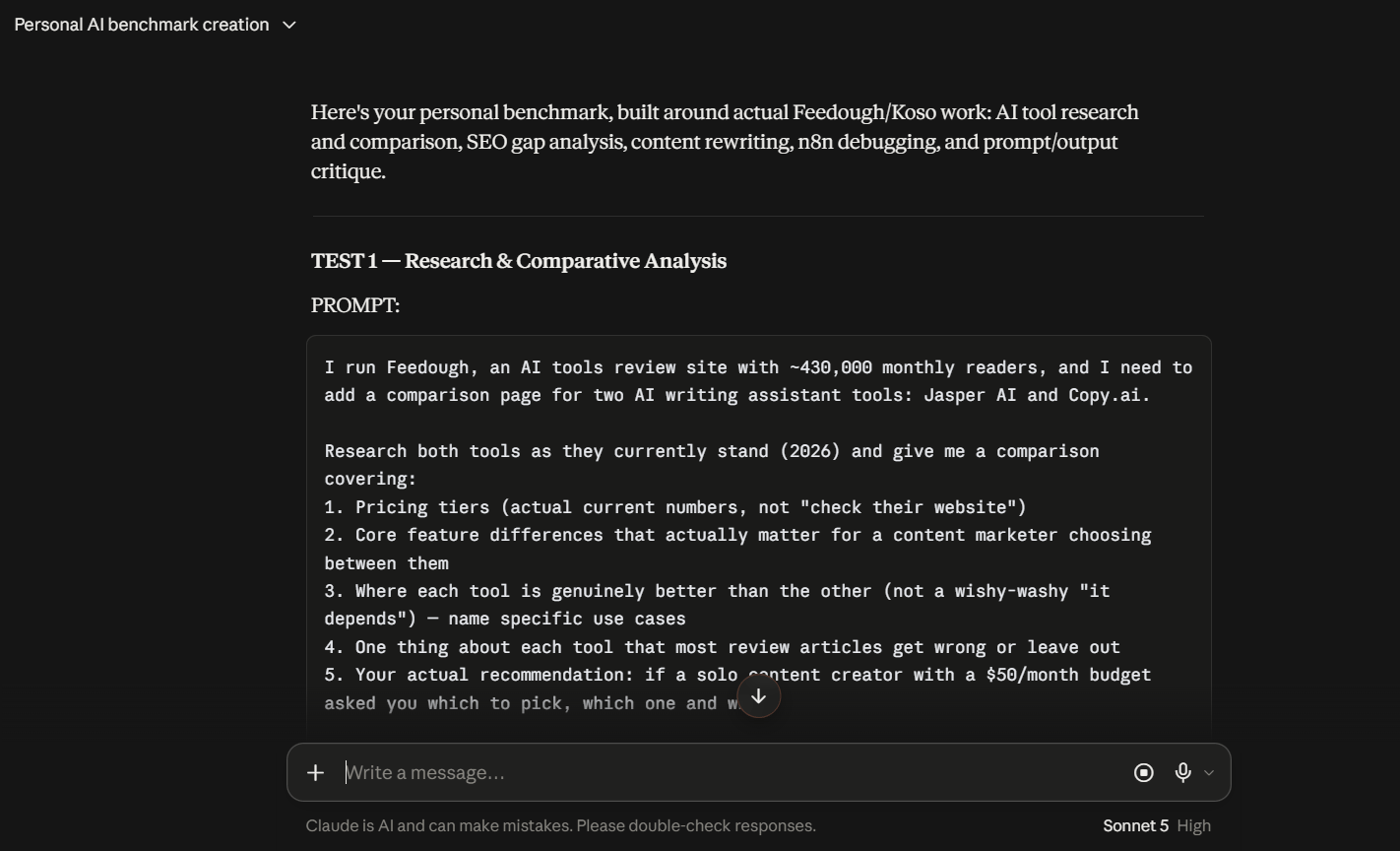
After you answer all 5 questions, Claude will generate exactly 5 complete test prompts.
Then based on your work it will give you 5 prompts.
Then it will show the 5 prompts in the final output format it asks for.
Paste the prompt below exactly into Claude.
I want to create my own personal AI benchmark instead of relying on generic benchmark scores. Your job is to understand the actual work I do, then create 5 realistic prompts I can use to test different AI models against each other.
First, ask me 5 short questions to understand:
1. What I do for work
2. What I use AI for most often
3. What kinds of tasks I regularly give AI
4. What type of outputs I care about most
5. What makes an AI response genuinely good or bad for me

Ask these questions one at a time. After I answer all 5, create my personal AI benchmark. I want exactly 5 COMPLETE TEST PROMPTS.
Important: These should NOT be descriptions like:
“Test the model’s writing ability”
or
“Ask it to research competitors.”
I want the actual full prompts that I can copy and paste directly into ChatGPT, Claude, Gemini, or any other model. Each prompt should feel like a real task I could genuinely give an AI during my normal workday.
The 5 prompts should test different abilities that matter specifically for MY work. For example, depending on my answers, they could test:
- writing
- research
- reasoning
- analysis
- brainstorming
- instruction following
- coding
- summarization
- decision making

But do not force these categories. Choose the 5 most relevant abilities based on what I tell you. Make each test difficult enough that differences between AI models become obvious.
Each prompt should:
- include realistic context
- have a clear task
- include relevant constraints
- specify the expected output
- require some judgment, not just basic information retrieval
- be detailed enough that a weak model and a strong model would produce noticeably different results
- work exactly the same when pasted into different AI models

Do not make trivia questions, riddles, math puzzles, or artificial benchmark tasks.
FINAL OUTPUT FORMAT:
TEST 1 — [short name of ability being tested]
PROMPT:
[Write the complete, detailed, copy-paste-ready prompt here.]
TEST 2 — [short name of ability being tested]
PROMPT:
[Complete copy-paste-ready prompt.]
Continue until TEST 5.
Do not give me templates with blanks to fill in.
Do not explain what kind of prompt I should create.
Actually write all 5 prompts completely using the information you learned about my work.
-
Compare models side-by-side in OpenRouter
Now you need a place to test these prompts across multiple models at the same time.
Go to openrouter.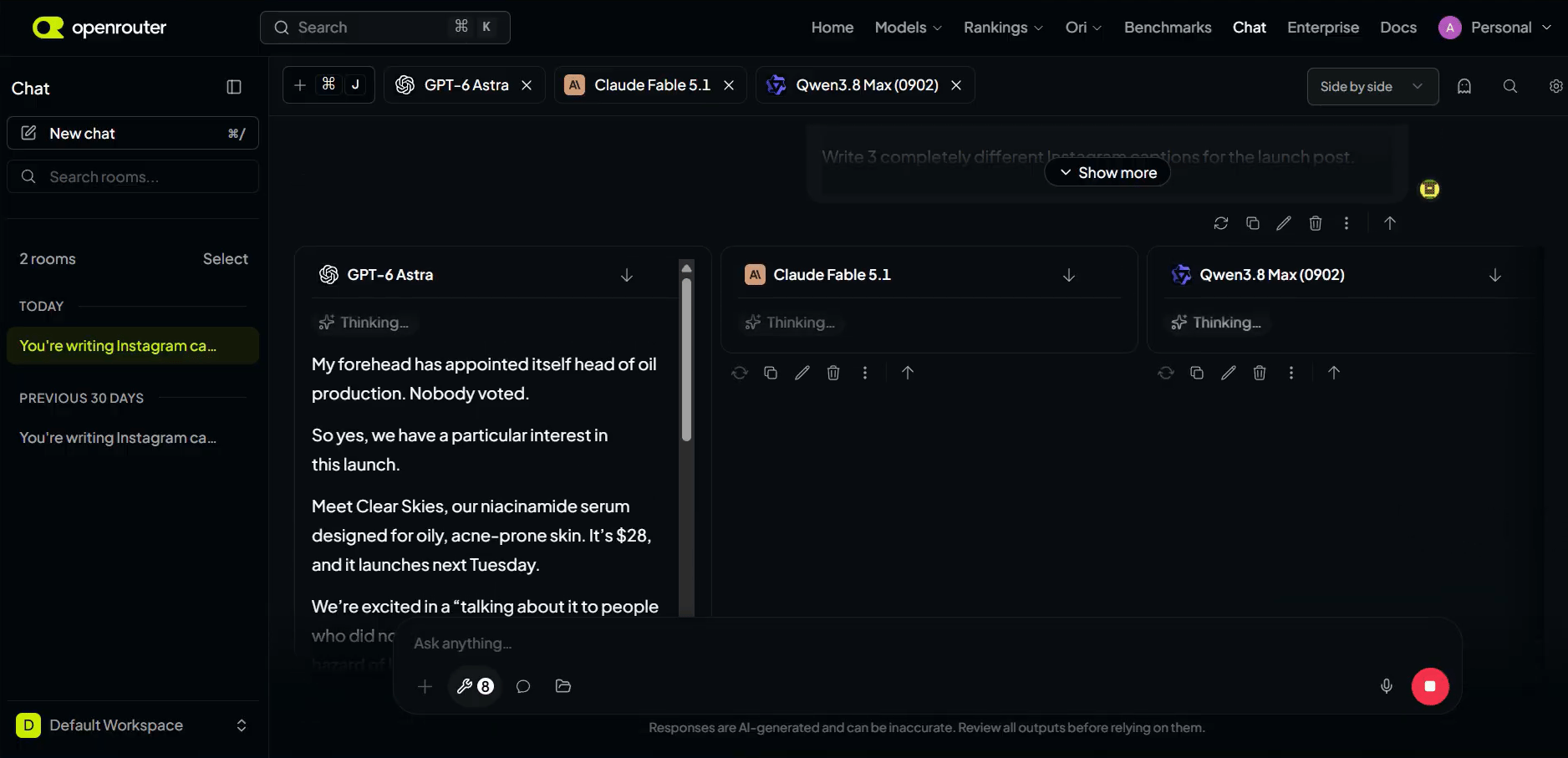
It lets you select multiple models, enter a single prompt, and see everything play out in real time.
The key is: same prompt, same parameters, every model on equal footing. You're comparing the models, not accidentally comparing your settings.
- Go to openrouter
- Select multiple models to compare
-
Run your prompts and see who wins
Run each prompt through 3-4 models side by side.
Compare a large model like Fable against a small one like Haiku. Compare models from different providers, like Anthropic and OpenAI. Run the same task with the same model three times to see how much it varies.You'll be surprised. Sometimes the cheap model performs just as well as the expensive one for your specific task. Sometimes a model you ignored turns out to be perfect for your work.
This isn't about finding the "best" model overall. It's about finding the best model for you.
- Pick 3-4 models (include at least one large and one small)
For each prompt, run it across the selected models side by side
Repeat the same task with the same model three times to check variation
-
Compare price and speed
Once you know which models give you the best output for your tasks, check their price and speed.
Go to Artificial Analysis. It compares AI models across intelligence, pricing, output speed, latency, context window, and more.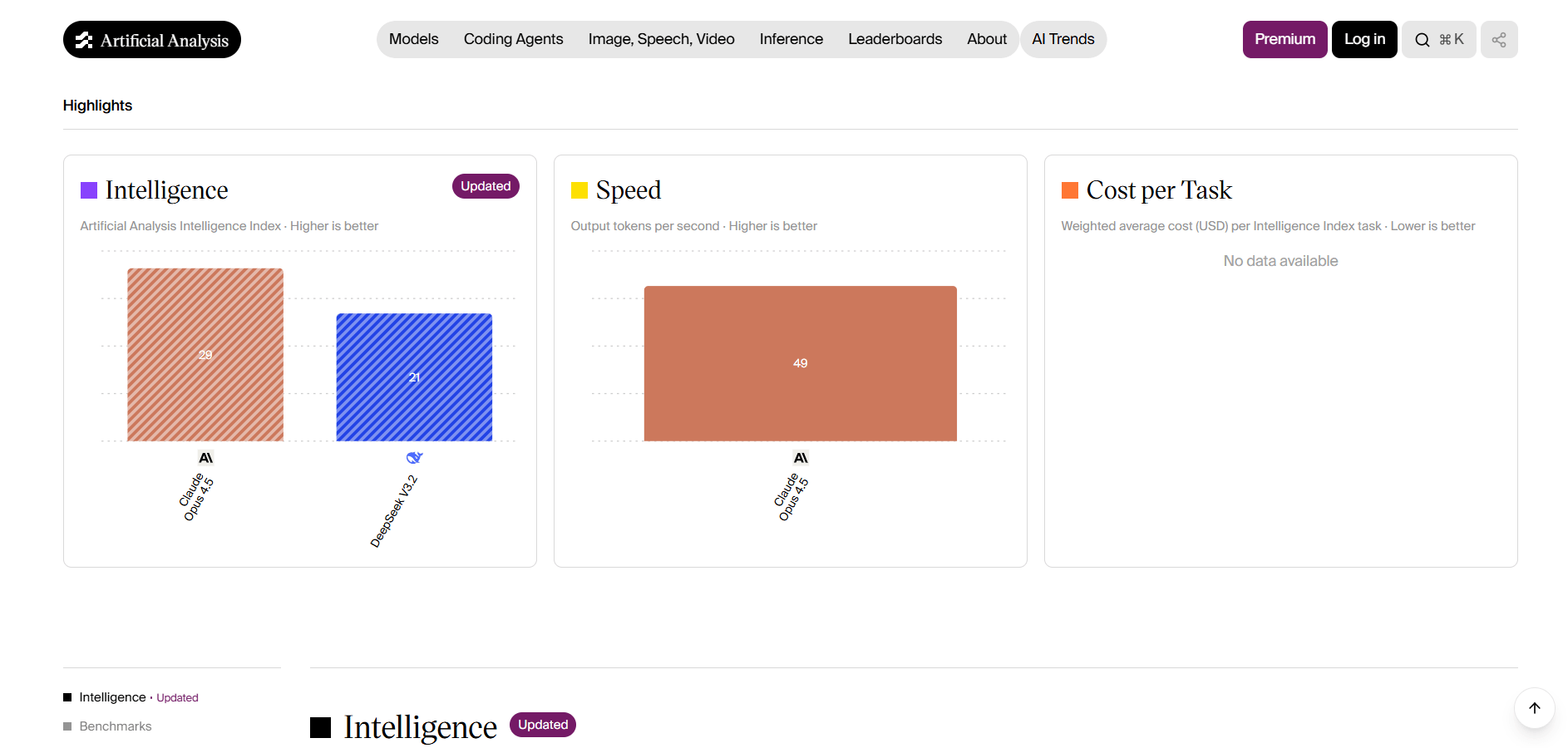
The cheapest model isn't always the best value. You need to balance quality, speed, and cost for your specific workload.
And you’re done, here’s how you create your own benchmarks and judge models.- Go to Artificial Analysis
Compare pricing and output speed, latency, context window for your shortlisted models
-
Know your benchmark will evolve
When Fable came out, it was so good at open-ended work that I realized I'd been giving AI tasks that were too small. Then my benchmark had to evolve with my more ambitious use of AI.
This is how you "surf the models." Models are getting better every day. To get the most from them, we have to keep up.
AI knows everything that's written down, but using AI models in your work generates judgment they couldn't have been trained on by anyone else.
Try it yourself. Build your first personal benchmark today.
And if you do, share your results. I'd love to see what you discover.
- Aashish- Re-run your benchmark when your tasks or expectations change
-
Treat fine-tuning data as model-ready before you train
### Is Your Training Data Actually Model-Ready?
If you're fine-tuning a speech model, you've probably hit this wall: DNSMOS gives you a score, but it doesn't tell you whether the data behind that score is actually right for your model.
Treat it as a pass/fail gate and you'll end up training on audio that looks clean on paper but drags down real-world performance—while good source data gets tossed for no reason.Treat DNSMOS as a pass/fail gate for training data suitability
Tips
- Stop relying on official AI benchmarks only.
- Every time a new model drops, researchers first check how well it does on Math Olympiad problems, science and trivia.
- Then they argue online about whether it's the smartest model in the world.
- But the thing is, nobody hires a vice president based on their SAT scores.
- So why do we choose AI models based on benchmarks that have nothing to do with our own actual work?
- Official benchmarks are useful for researchers, but they're useless for you.
- They don't tell you which model will write better emails, build better dashboards, or create better presentations for your specific needs.
- So I build my own personal benchmarks.
- And you can too. It's simpler than you think.
- Quick sanity check you can use before you spend time running tests: your benchmark prompts should be the kind of tasks you already do (writing emails, building dashboards, creating presentations). If your prompts feel artificial, the comparison will drift from real results.
- If you repeat the same task three times with the same model, you’ll see how much the output varies. Use that to decide whether a model is consistent enough for your workflow.
Try next
- Read all: feedough.co/archive
- Written by Aashish Pahwa
That is the whole thing
If a step did not work the way I said, tell me in the comments on the post: I fix these.